> ## Documentation Index
> Fetch the complete documentation index at: https://docs.litefold.ai/llms.txt
> Use this file to discover all available pages before exploring further.
# Quickstart Guide
> Get started with LiteFold in minutes and run your first drug discovery experiment
This guide will walk you through setting up your LiteFold account and running your first protein structure prediction and molecular docking experiment. You'll go from zero to analyzing results in under 30 minutes.
## Prerequisites
Before you begin, ensure you have:
* A LiteFold account (sign up at [litefold.ai](https://www.litefold.ai))
* A modern web browser (Chrome, Firefox, Safari, or Edge)
* A protein sequence or PDB file for structure prediction
* (Optional) A ligand molecule in SMILES or SDF format for docking
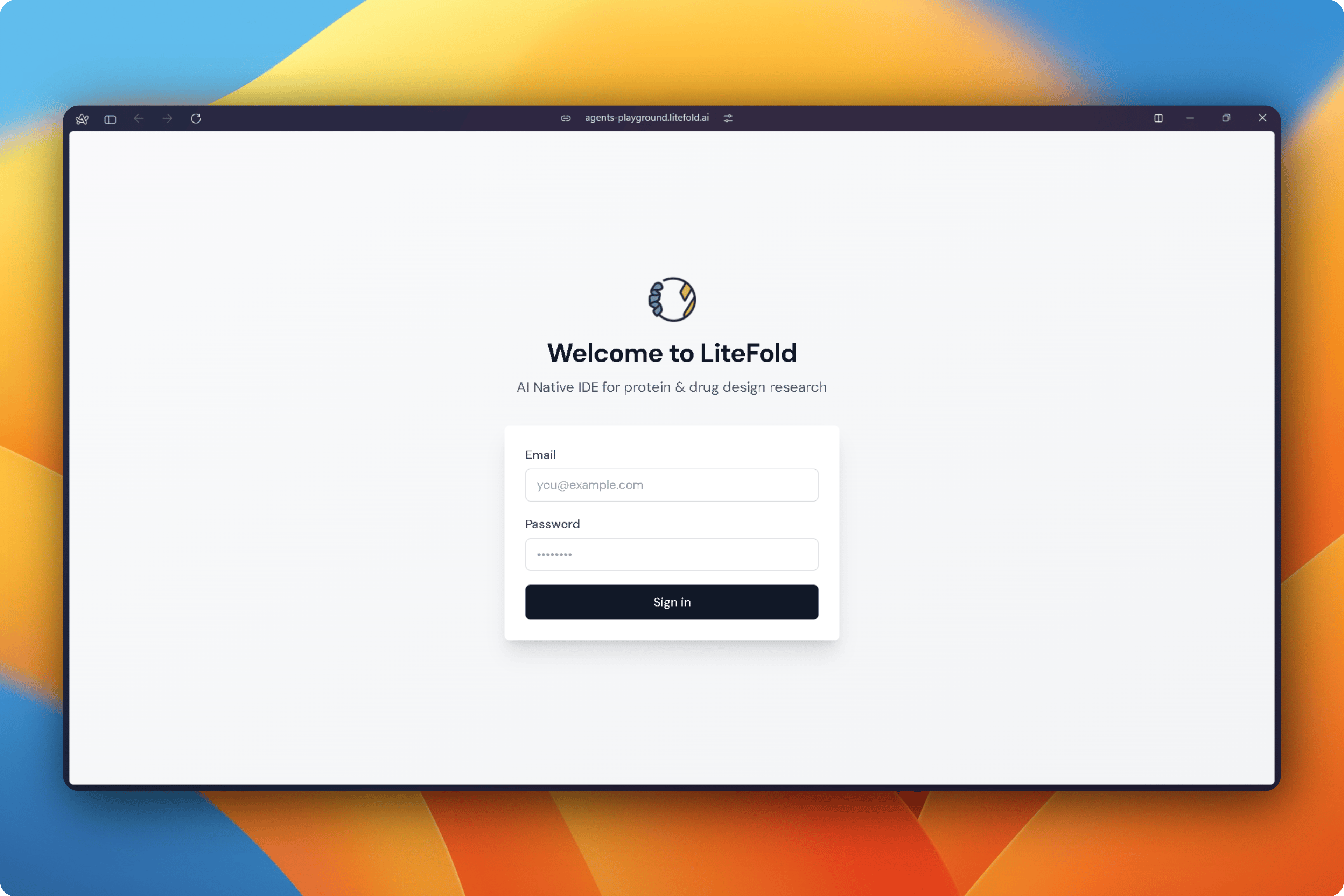
## Sign In to LiteFold
After creating your account, sign in to the LiteFold workspace.
The workspace serves as the central location for all projects, experiments, generated structures, docking studies, simulations, and design jobs.
## Create Your First Project
All work in LiteFold is organized into projects.
Select **New Project** from the sidebar and enter a project name.
Projects provide a shared workspace for structures, molecules, simulations, and analysis results.
After creation, the project becomes available throughout the platform and can be selected when launching new experiments.
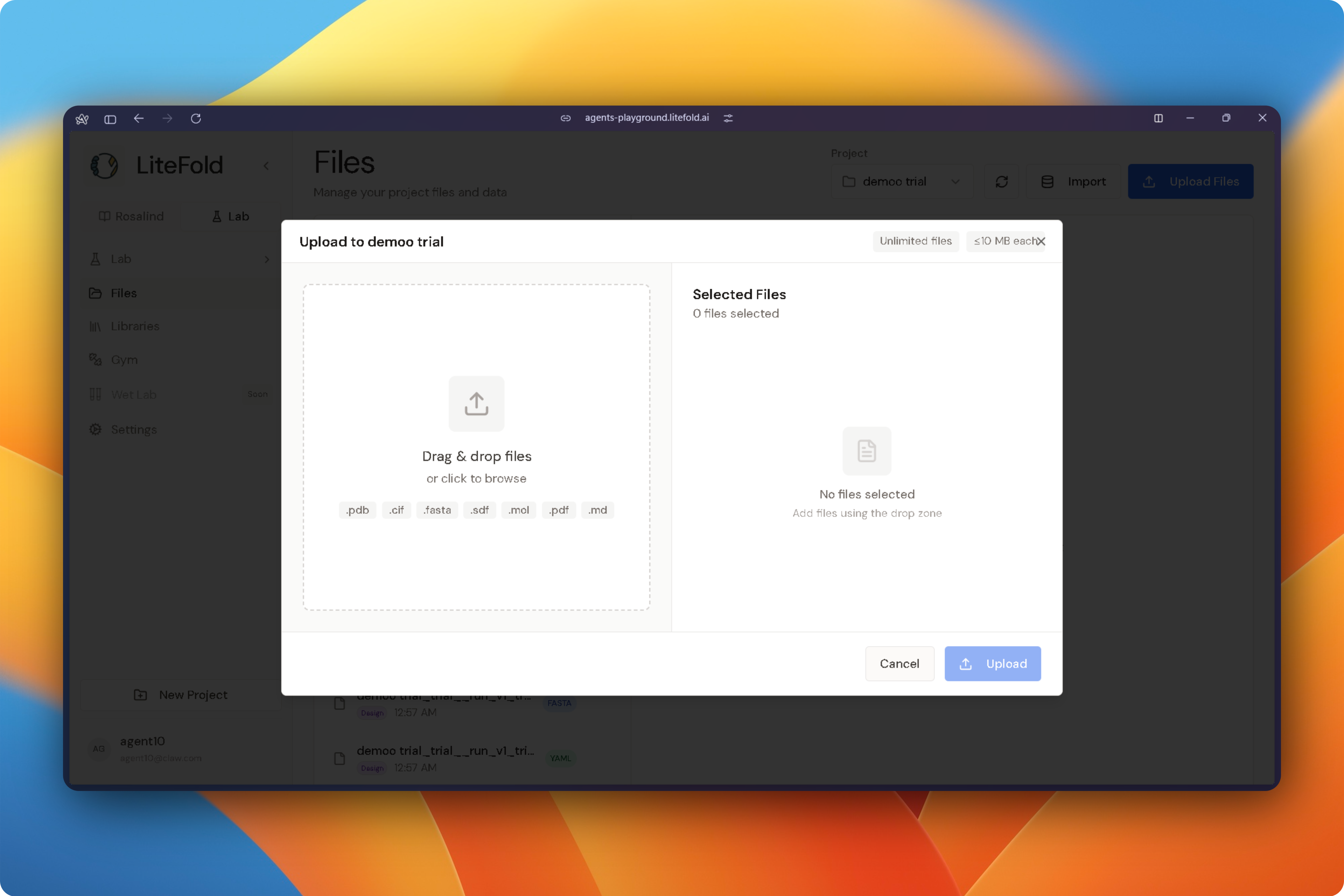
## Upload Files
Before starting an experiment, upload the files required for your study.
Open the **Files** section from the sidebar and upload any supported research assets, including:
* FASTA sequences
* Protein structures (PDB, CIF)
* Ligands (SDF, MOL2)
* Simulation outputs
* Supporting datasets
Uploaded files are stored within your workspace and become available across LiteFold tools.
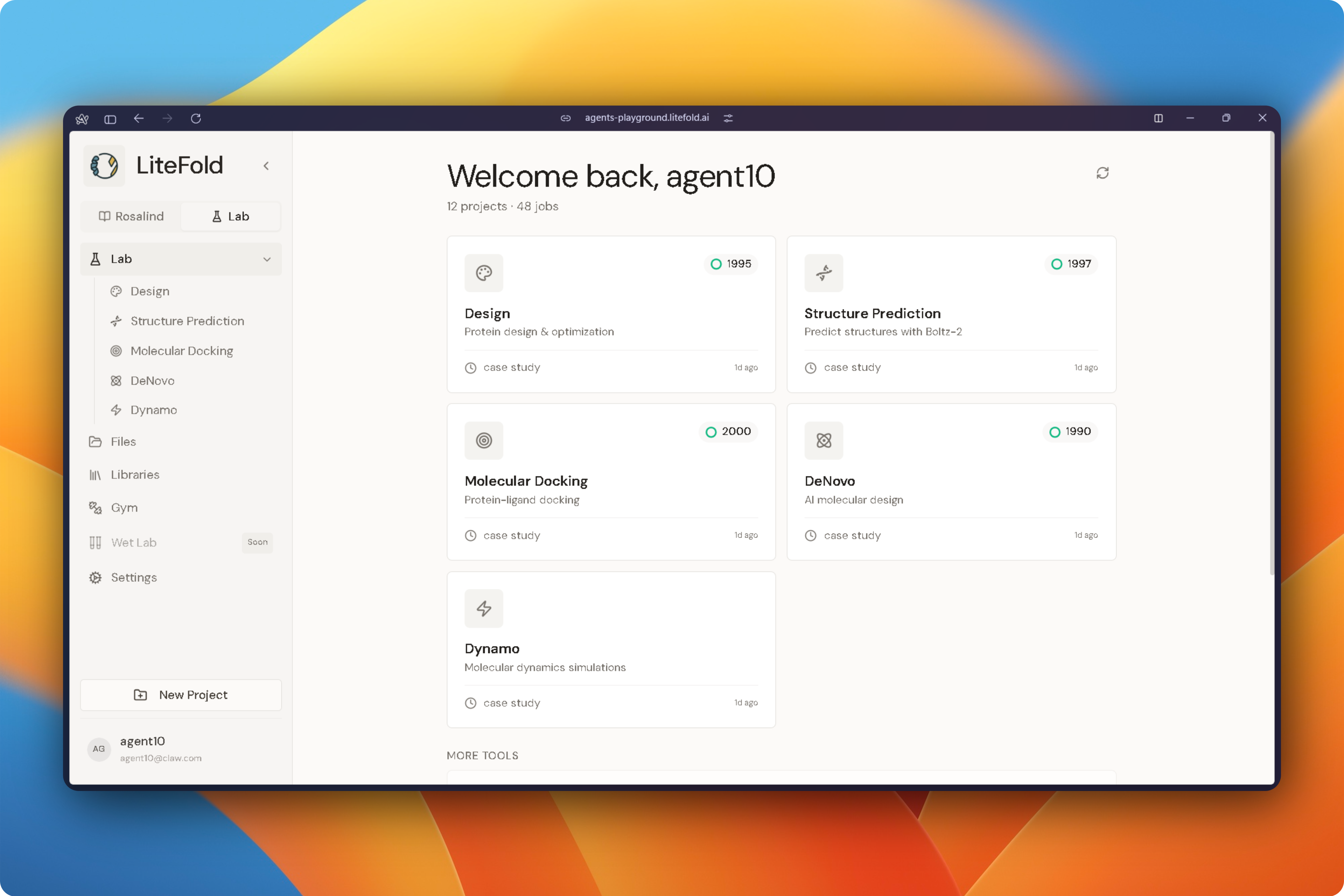
## Choose a Research Workflow
From the Lab workspace, select the workflow that matches your research objective.
### Structure Prediction
Predict protein, protein-complex, protein-ligand, protein-DNA, or protein-RNA structures from sequence data.
### Molecular Docking
Identify binding modes and estimate binding affinity between ligands and biological targets.
### DeNovo Design
Generate new molecules, peptides, proteins, or aptamers optimized for a target structure.
### Dynamo
Run molecular dynamics simulations to evaluate stability, flexibility, and molecular interactions over time.
### Rosalind AI
Use LiteFold's AI co-scientist to search databases, interpret results, suggest experiments, and automate research tasks.
## Run Your First Experiment
Every LiteFold workflow follows a similar pattern:
1. Select a project.
2. Choose input files.
3. Configure experiment parameters.
4. Review settings.
5. Submit the job.
The platform automatically provisions compute resources and tracks progress through the experiment dashboard.
## Monitor Progress
Running experiments appear in their respective workflow pages.
Depending on the workflow, LiteFold provides:
* Job status tracking
* Progress indicators
* Live logs
* Intermediate outputs
* Downloadable results
Completed jobs remain associated with the project for future analysis.
## Analyze Results
Each LiteFold workflow includes dedicated analysis tools.
Structure prediction results provide confidence metrics and interactive structure visualization.
Docking experiments provide binding poses, interaction maps, and affinity scores.
DeNovo design workflows provide generated candidates along with drug-likeness and docking evaluations.
Molecular dynamics simulations provide trajectory analysis, RMSD, RMSF, hydrogen-bond occupancy, and energy profiles.
## Work with Rosalind AI
Rosalind can assist throughout the research process.
Researchers can ask Rosalind to:
* Search scientific literature
* Retrieve known ligands and targets
* Suggest experimental strategies
* Configure workflows
* Interpret computational results
* Recommend follow-up studies
Rosalind integrates directly with LiteFold projects and can access the context of your ongoing research.
!\[image.png]\(media/quickstart/image 3.png)
## Recommended First Workflow
For new users, the following sequence provides a complete introduction to the platform:
1. Upload a protein structure.
2. Run Molecular Docking.
3. Analyze binding interactions.
4. Generate optimized candidates using DeNovo Design.
5. Validate promising molecules with Dynamo simulations.
6. Use Rosalind to summarize findings and suggest next experiments.
This workflow demonstrates how LiteFold connects prediction, design, simulation, and analysis within a single research environment.
Explore all of LiteFold's capabilities beyond structure prediction and docking.
Learn how to run complete drug discovery campaigns from target to candidate.
Validate binding predictions with MD simulations and calculate binding free energies.
Generate novel molecules tailored to your protein target using generative AI.
## Need Help?
Our team is here to help! Reach out with questions, feedback, or if you encounter any issues.
Email: [support@litefold.ai](mailto:support@litefold.ai)
## Community Resources
Join the LiteFold community to learn from other researchers and share your experiences:
* **Blog**: Read the latest research and tutorials at [litefold.ai/blog](https://www.litefold.ai/blog)
* **HuggingFace**: Access our models and datasets at [huggingface.co/LiteFold](https://huggingface.co/LiteFold)
* **Publications**: Explore our research at [litefold.ai/research](https://www.litefold.ai/research)
 ## Create Your First Project
All work in LiteFold is organized into projects.
Select **New Project** from the sidebar and enter a project name.
Projects provide a shared workspace for structures, molecules, simulations, and analysis results.
After creation, the project becomes available throughout the platform and can be selected when launching new experiments.
## Upload Files
Before starting an experiment, upload the files required for your study.
Open the **Files** section from the sidebar and upload any supported research assets, including:
* FASTA sequences
* Protein structures (PDB, CIF)
* Ligands (SDF, MOL2)
* Simulation outputs
* Supporting datasets
Uploaded files are stored within your workspace and become available across LiteFold tools.
## Create Your First Project
All work in LiteFold is organized into projects.
Select **New Project** from the sidebar and enter a project name.
Projects provide a shared workspace for structures, molecules, simulations, and analysis results.
After creation, the project becomes available throughout the platform and can be selected when launching new experiments.
## Upload Files
Before starting an experiment, upload the files required for your study.
Open the **Files** section from the sidebar and upload any supported research assets, including:
* FASTA sequences
* Protein structures (PDB, CIF)
* Ligands (SDF, MOL2)
* Simulation outputs
* Supporting datasets
Uploaded files are stored within your workspace and become available across LiteFold tools.
 ## Choose a Research Workflow
From the Lab workspace, select the workflow that matches your research objective.
### Structure Prediction
Predict protein, protein-complex, protein-ligand, protein-DNA, or protein-RNA structures from sequence data.
### Molecular Docking
Identify binding modes and estimate binding affinity between ligands and biological targets.
### DeNovo Design
Generate new molecules, peptides, proteins, or aptamers optimized for a target structure.
### Dynamo
Run molecular dynamics simulations to evaluate stability, flexibility, and molecular interactions over time.
### Rosalind AI
Use LiteFold's AI co-scientist to search databases, interpret results, suggest experiments, and automate research tasks.
## Choose a Research Workflow
From the Lab workspace, select the workflow that matches your research objective.
### Structure Prediction
Predict protein, protein-complex, protein-ligand, protein-DNA, or protein-RNA structures from sequence data.
### Molecular Docking
Identify binding modes and estimate binding affinity between ligands and biological targets.
### DeNovo Design
Generate new molecules, peptides, proteins, or aptamers optimized for a target structure.
### Dynamo
Run molecular dynamics simulations to evaluate stability, flexibility, and molecular interactions over time.
### Rosalind AI
Use LiteFold's AI co-scientist to search databases, interpret results, suggest experiments, and automate research tasks.
 ## Run Your First Experiment
Every LiteFold workflow follows a similar pattern:
1. Select a project.
2. Choose input files.
3. Configure experiment parameters.
4. Review settings.
5. Submit the job.
The platform automatically provisions compute resources and tracks progress through the experiment dashboard.
## Monitor Progress
Running experiments appear in their respective workflow pages.
Depending on the workflow, LiteFold provides:
* Job status tracking
* Progress indicators
* Live logs
* Intermediate outputs
* Downloadable results
Completed jobs remain associated with the project for future analysis.
## Analyze Results
Each LiteFold workflow includes dedicated analysis tools.
Structure prediction results provide confidence metrics and interactive structure visualization.
Docking experiments provide binding poses, interaction maps, and affinity scores.
DeNovo design workflows provide generated candidates along with drug-likeness and docking evaluations.
Molecular dynamics simulations provide trajectory analysis, RMSD, RMSF, hydrogen-bond occupancy, and energy profiles.
## Work with Rosalind AI
Rosalind can assist throughout the research process.
Researchers can ask Rosalind to:
* Search scientific literature
* Retrieve known ligands and targets
* Suggest experimental strategies
* Configure workflows
* Interpret computational results
* Recommend follow-up studies
Rosalind integrates directly with LiteFold projects and can access the context of your ongoing research.
!\[image.png]\(media/quickstart/image 3.png)
## Recommended First Workflow
For new users, the following sequence provides a complete introduction to the platform:
1. Upload a protein structure.
2. Run Molecular Docking.
3. Analyze binding interactions.
4. Generate optimized candidates using DeNovo Design.
5. Validate promising molecules with Dynamo simulations.
6. Use Rosalind to summarize findings and suggest next experiments.
This workflow demonstrates how LiteFold connects prediction, design, simulation, and analysis within a single research environment.
## Run Your First Experiment
Every LiteFold workflow follows a similar pattern:
1. Select a project.
2. Choose input files.
3. Configure experiment parameters.
4. Review settings.
5. Submit the job.
The platform automatically provisions compute resources and tracks progress through the experiment dashboard.
## Monitor Progress
Running experiments appear in their respective workflow pages.
Depending on the workflow, LiteFold provides:
* Job status tracking
* Progress indicators
* Live logs
* Intermediate outputs
* Downloadable results
Completed jobs remain associated with the project for future analysis.
## Analyze Results
Each LiteFold workflow includes dedicated analysis tools.
Structure prediction results provide confidence metrics and interactive structure visualization.
Docking experiments provide binding poses, interaction maps, and affinity scores.
DeNovo design workflows provide generated candidates along with drug-likeness and docking evaluations.
Molecular dynamics simulations provide trajectory analysis, RMSD, RMSF, hydrogen-bond occupancy, and energy profiles.
## Work with Rosalind AI
Rosalind can assist throughout the research process.
Researchers can ask Rosalind to:
* Search scientific literature
* Retrieve known ligands and targets
* Suggest experimental strategies
* Configure workflows
* Interpret computational results
* Recommend follow-up studies
Rosalind integrates directly with LiteFold projects and can access the context of your ongoing research.
!\[image.png]\(media/quickstart/image 3.png)
## Recommended First Workflow
For new users, the following sequence provides a complete introduction to the platform:
1. Upload a protein structure.
2. Run Molecular Docking.
3. Analyze binding interactions.
4. Generate optimized candidates using DeNovo Design.
5. Validate promising molecules with Dynamo simulations.
6. Use Rosalind to summarize findings and suggest next experiments.
This workflow demonstrates how LiteFold connects prediction, design, simulation, and analysis within a single research environment.